 Philanthropel
PENNAME · JUST LAUNCHED · FREE
Everything gets pasted into AI now. What happens to the names inside?
Your work goes into AI. The people in it don't have to.
- No internetWorks with your Wi-Fi off
- No AI serviceNever sent to any AI or cloud
- Nothing leaves your deviceDocuments and keys stay with you
Penname gives every private detail in a document a convincing stand-in before you share it with ChatGPT, Claude or Copilot, then puts the real details back when you're done. It runs entirely on your device and never touches the internet.
Free. No account, no sign-up.
Real details, on this device only
Dear Margaret Wilson,
Thank you for your generous gift of $25,000 to Riverside Community Foundation. We would love to tell you how it is being used. We will call you on (415) 555-0123 this week, or write to m.wilson@riverside.org.
What Penname never does
No internet, at all
Penname makes no network connections, not even to check for updates. Switch off your Wi-Fi and it works exactly the same.
No AI service, no cloud
Penname never sends anything to an AI. The small model that spots names runs on your own device, offline. No account, no API key, no third party.
Nothing leaves your device
Documents are opened, read and saved where they already are. The key file that restores the real details is encrypted and stays with you.
Never used to train anything
Since nothing you open is sent anywhere, nothing anywhere can learn from it.
Four steps, and the real details never leave.
- 01
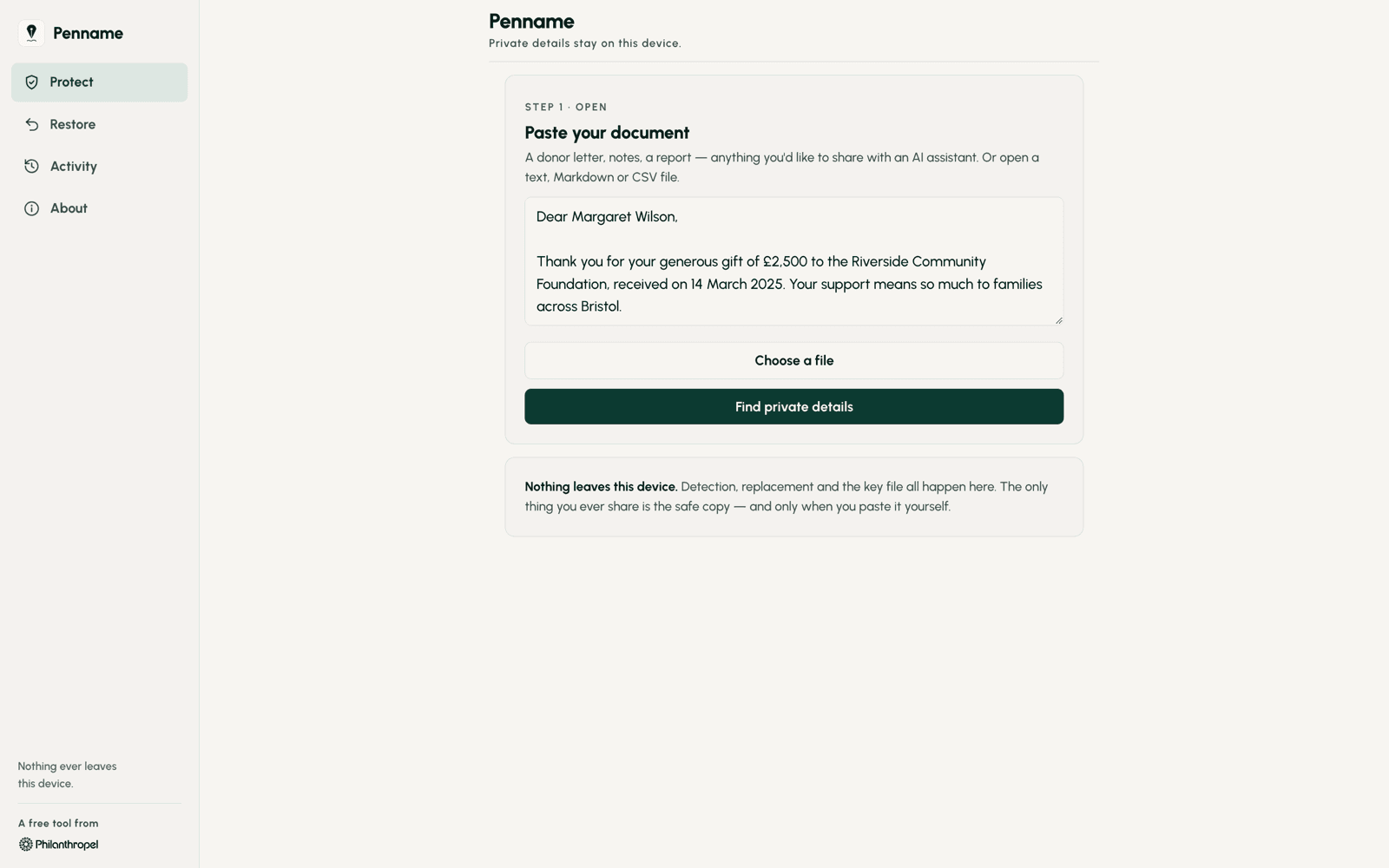
Open your document
Paste it in, or open a Word, Excel, CSV, text or PDF file. A donor letter, a board paper, a spreadsheet of contacts.
- 02
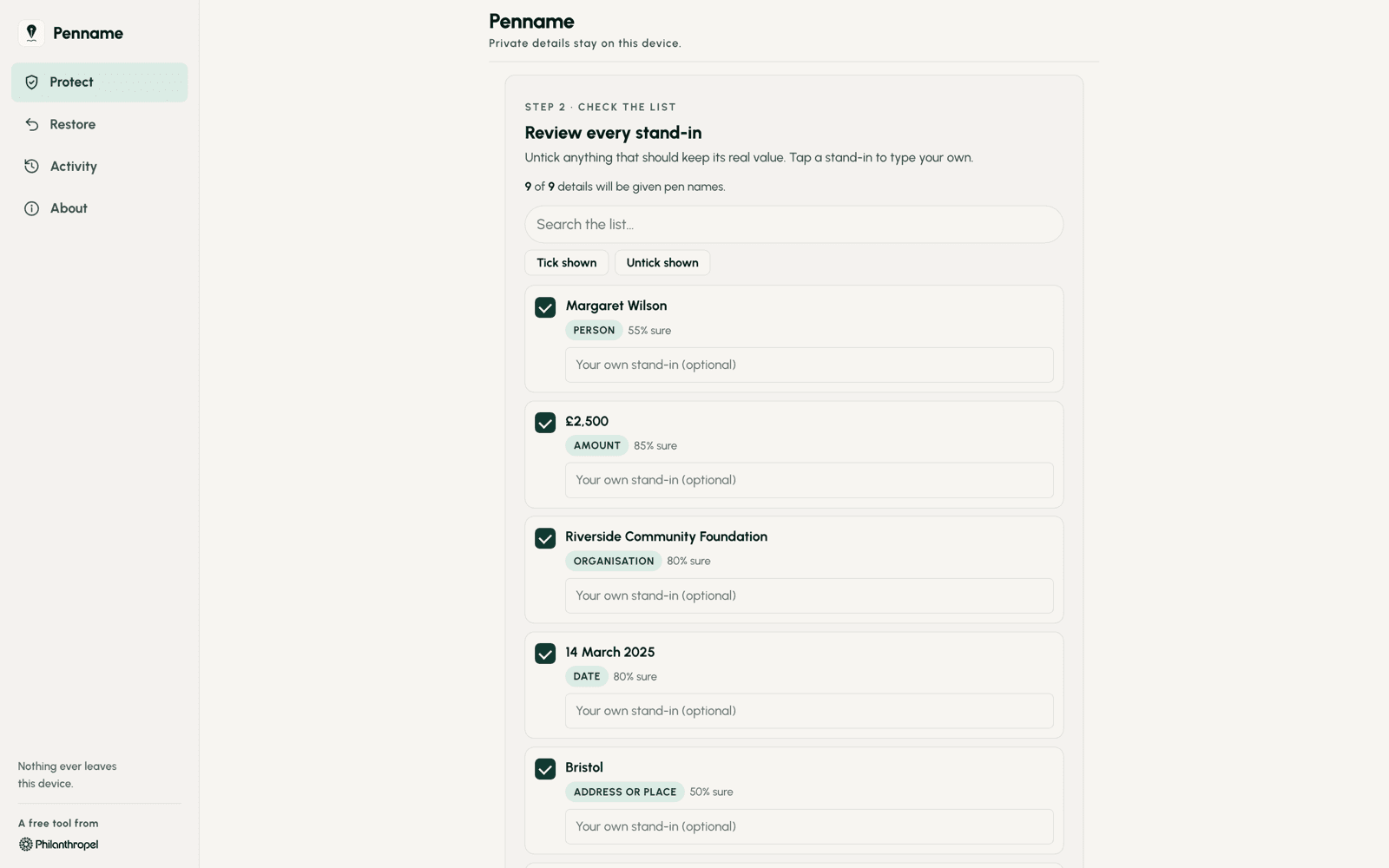
Check the list
Penname finds names, organisations, email addresses, phone numbers, postal addresses, gift amounts, wealth ratings and appeal codes, and suggests a stand-in for each. Untick anything that should stay, or type your own.
- 03
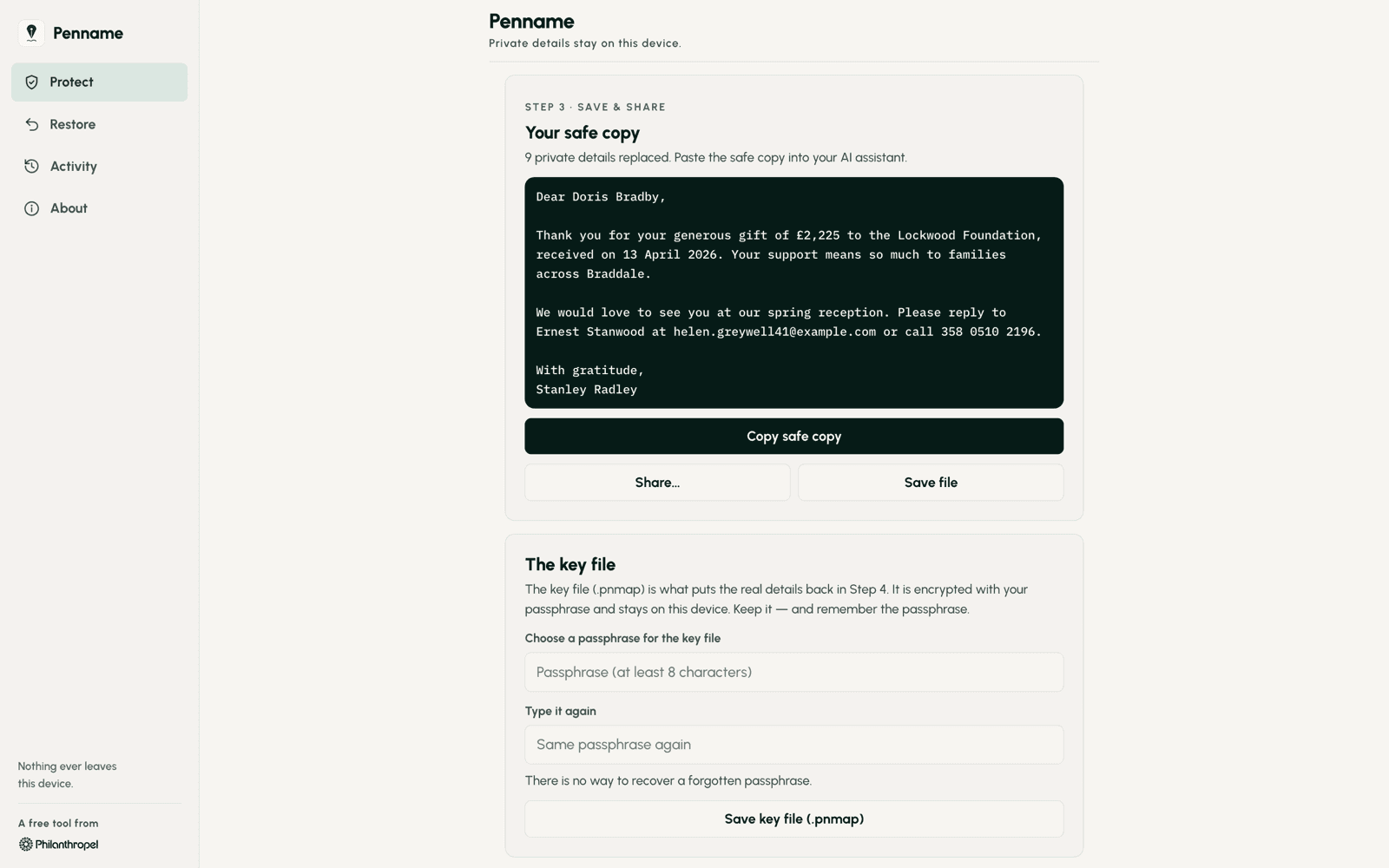
Share the safe copy
Margaret Wilson becomes Dorothy Fields. $25,000 becomes $22,500. Paste the safe copy into your AI assistant and ask for what you need.
- 04
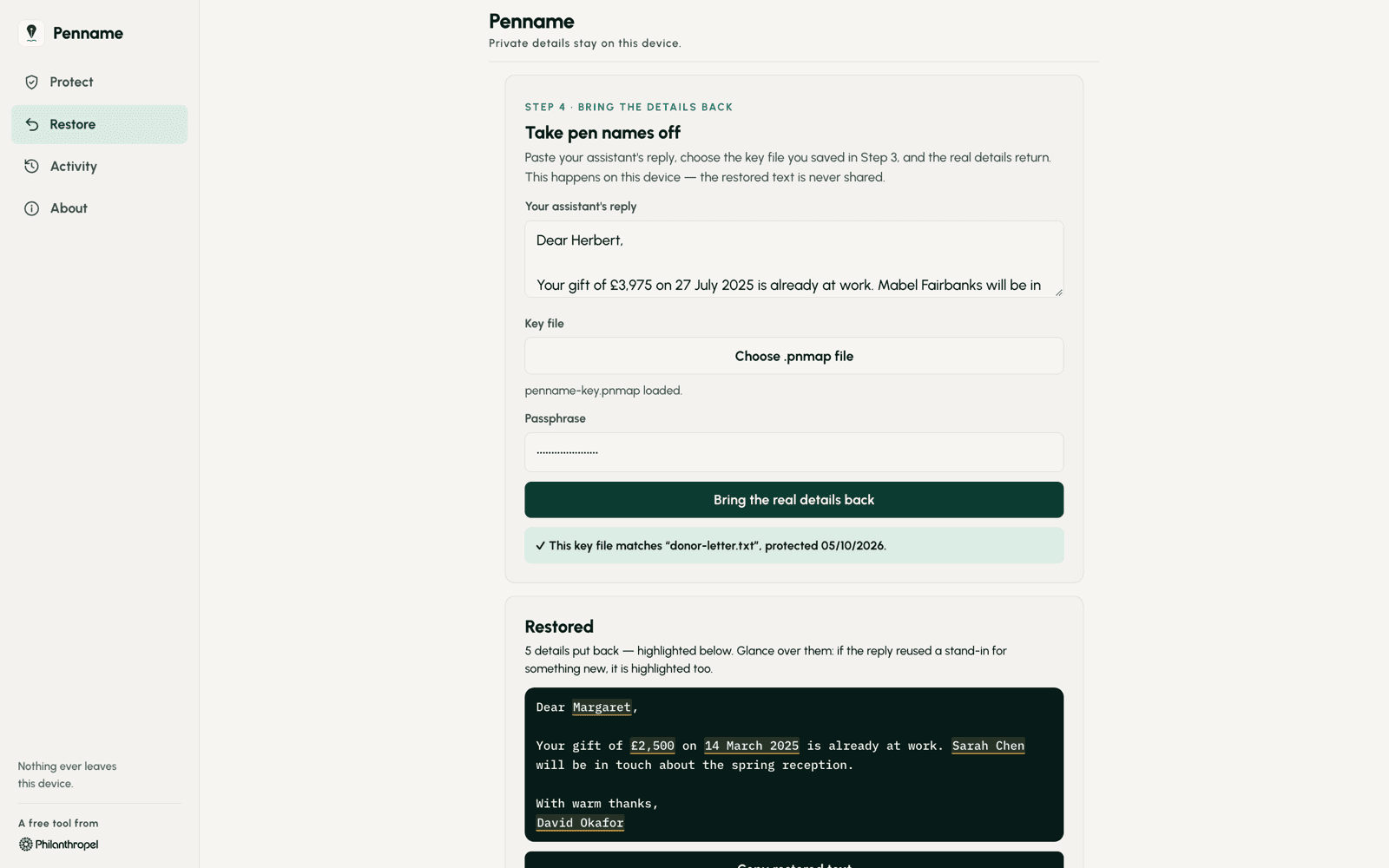
Bring the real details back
Paste the AI's reply into Penname, and every pen name turns back into the real detail.
On your Mac, your phone and your PC.
Open a document Check every stand-in Copy the safe version Bring the real details back 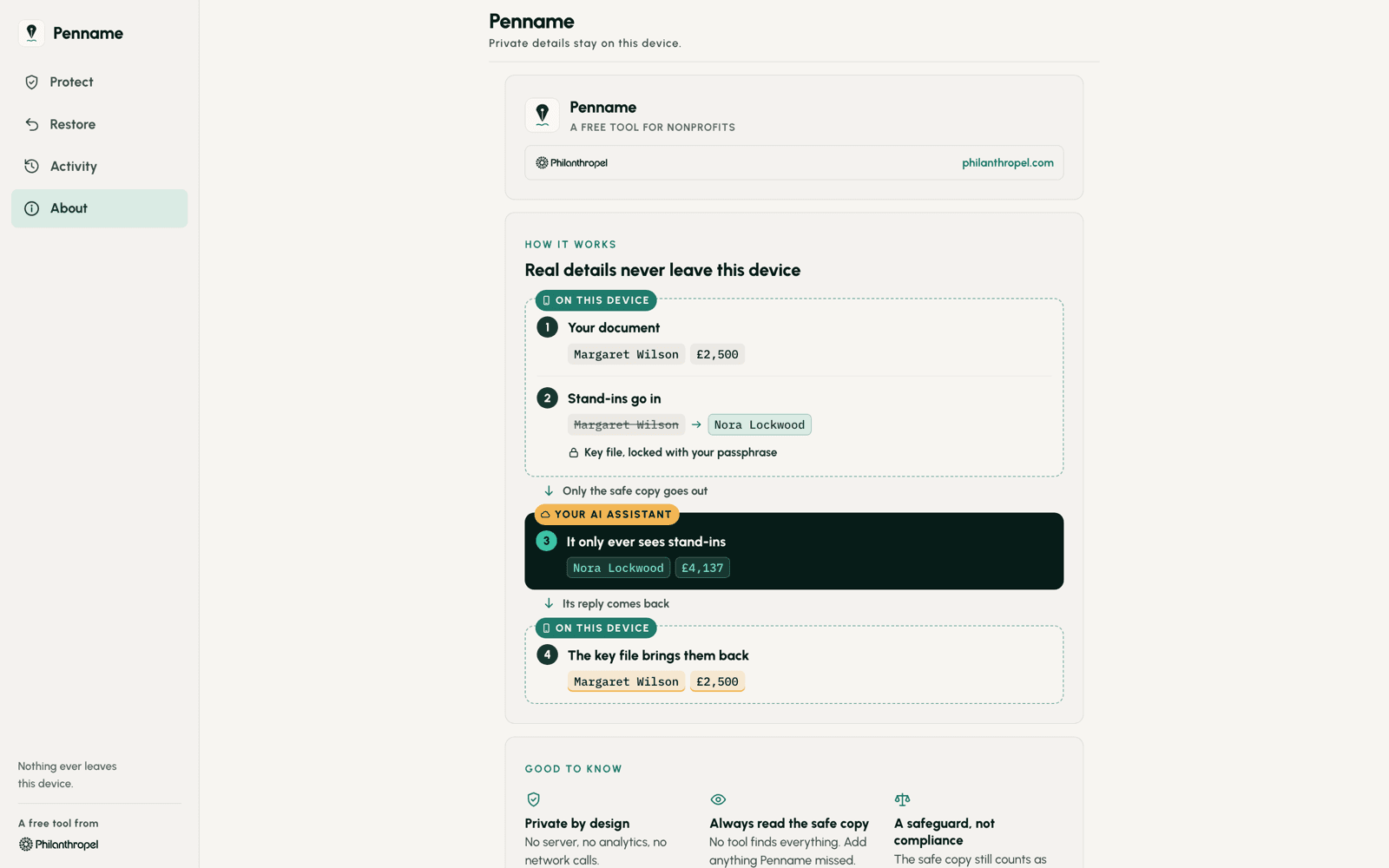
How it works
Faster work, kept confidences, and less to lose.
Use AI on the work you actually have
Stop retyping documents to strip out names before you ask for help. Pen-name a letter, a report or a spreadsheet without rewriting a word, and get straight to the work.
Keep every confidence
Donor, client and patient details stay on your device. Only the safe copy goes to the AI assistant, and only when you paste it yourself.
Less to lose if an AI service is breached
If an AI provider is ever breached, what it holds from you is the pen-named copy: Dorothy Fields, not Margaret Wilson. Pseudonymisation is named in UK and EU GDPR, Article 32, as an appropriate security measure.
Security built in
The key file that restores the real details is encrypted, and Penname makes no network connections, so there is nothing in transit to intercept.
Built for charities. Useful wherever AI is.
We built Penname for nonprofits and foundations. It understands donor records, wealth ratings and appeal codes, and reads the exports of Raiser's Edge NXT, Salesforce NPSP, DonorPerfect, Bloomerang and Little Green Light. But the problem it solves is the same in every team now using AI: law firms with client files, clinics with patient notes, HR with staff records, finance with accounts.
Get Penname. It's free.
For iPhone, iPad and Mac from the App Store, or download it directly for Android and Windows.
Installing for the first time? Windows may say it protected your PC: choose More info, then Run anyway. On Android, allow your browser to install apps when asked. You see this because the Windows and Android versions download directly rather than through an app store.
Help and supportRelease notes ↗
Penname reduces how much personal data you share. It does not make data anonymous, and on its own it does not make you compliant. Always read the safe copy before you share it. Penname is a tool, not legal advice.
Contact
Book a conversation →If you lead a non-profit, a foundation, a family office or a philanthropic practice, tell us what you are working on. We reply to every serious note.
Follow us on LinkedIn ↗